my (vibecoding) setup, june 2026
the tools, mcps, terminal, and hardware i actually use every day to build gaia.
here’s the whole thing, dumped out honestly. this is what june 2026 looks like for me.
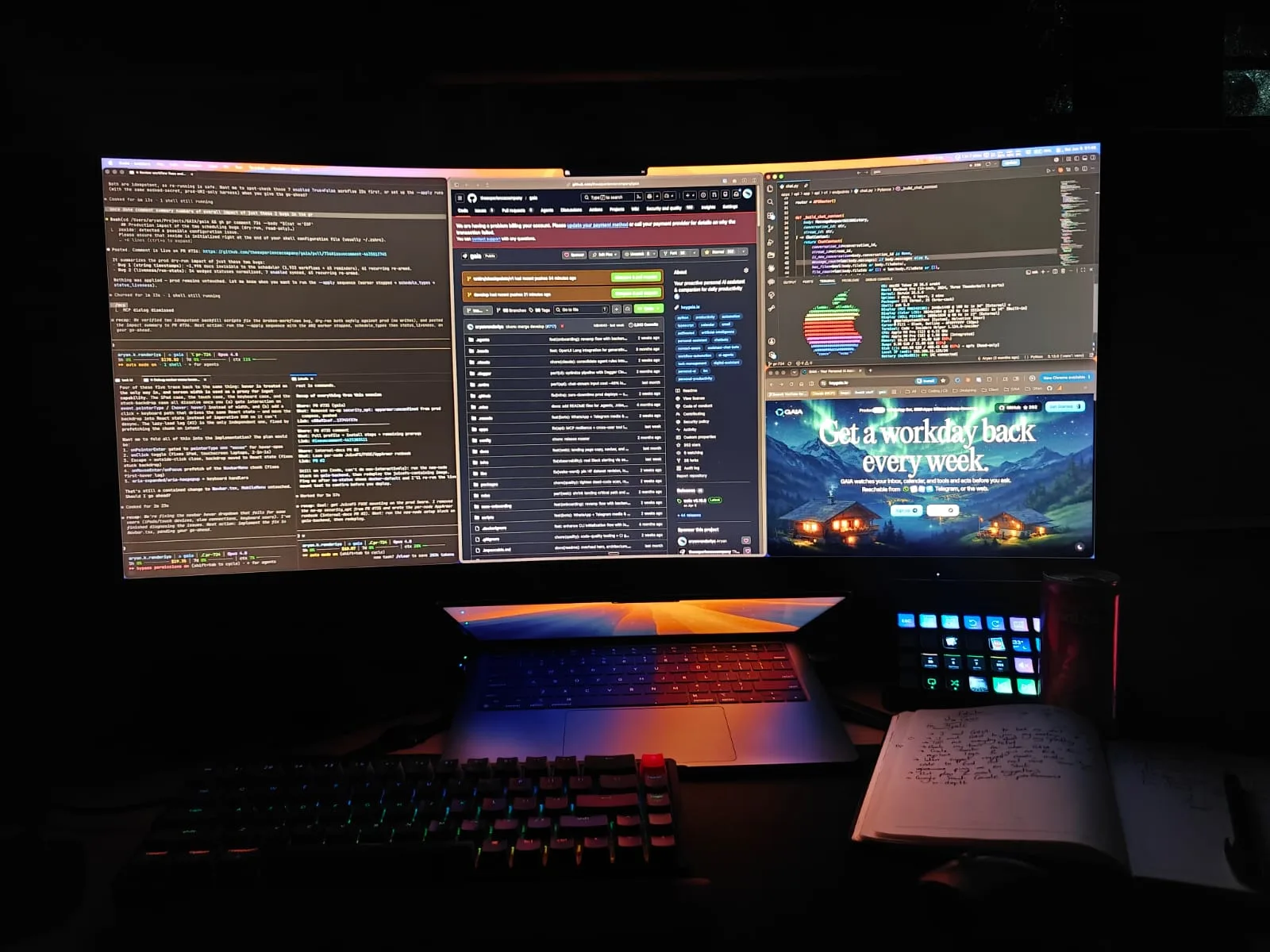
the road to claude
i primarily use claude now, and honestly it’s been the thing that stuck. the road to it was a mess though.
 claude
i used github copilot all through university because of the free student plan, but over time it just turned to shit and got frustrating to work with. then google antigravity came out and it was genuinely great, a shitton of usage limits at first.
 github copilot
 google antigravity
but then they cut the limits down, so i did the obvious dumb thing and made six different accounts to switch between, all on the google pro plan. i’d signed up for one when it was free for about a year, and added the rest into my family plan so every account got high limits. switching between all of them every time i hit a wall got exhausting fast, and i also wanted to try opencode, so i found an opencode extension that automatically rotated my accounts for me. i rode that till i got banned on all of them, lmao.
i also gave cursor a shot but the free plan limits were tiny, and i tried kiro too but never really enjoyed it. then i switched to claude and it was genuinely mind-blowing for me.
 kiro
kiroi tried codex as well, but my experience at the time was negative. i went in through a business free trial and for whatever reason it was disappointing, the quality of the plans and the quality of the code just felt subpar. that said, people keep praising it and saying it’s better than claude, so who knows, maybe it really is now.
the mcps doing the heavy lifting
the mcps are where a lot of my actual leverage comes from. the one i reach for most for frontend is agentation. i really love that i can annotate my ui changes and just tell the agent, copy them over, or let them get ingested automatically through the mcp. being able to annotate a specific component, pause an animation, or select multiple components at once instead of fumbling to explain in words which thing i’m even talking about. that’s such a relief.
 agentation
then chrome devtools is a fucking game changer for how i work. it literally gives the agent the ability to see network requests, inspect the dom, write console scripts to poke at elements and behaviour, drop logs into the code and try things and read the console back to understand the finer issues. it can take screenshots to understand the state of things and actually see the same ui i’m looking at. frontend can be a bit non-deterministic because of browser and css quirks, so being able to pinpoint root causes instead of guessing is huge.
langsmith is the next big one. we use it in our python backend for gaia, and during local dev we monitor agent traces through it. being able to pinpoint what exactly went wrong, the specific prompts, the exact agent invoked, every step in depth, makes debugging so much easier for the llm. when an agent just explores through code it misses a lot of the intricacies of a real system, so being able to validate what’s actually happening and what’s causing an issue speeds everything up.
alongside this i’ve also set up file logs, so each process, the python backend, the whatsapp/discord/telegram bots, our arq worker, all write to file logs. that way an agent doesn’t have to fumble with terminal output and can actually watch live what’s going on in the app. massive time saver.
context7 i don’t lean on heavily, but it’s good for pulling docs on a new library or site so the llm doesn’t hallucinate. deepwiki is really great for indexing repositories, understanding code quickly, or asking questions about a new repo or some library or package.
linear is how i manage and triage issues for gaia; we juggle a lot of projects and i genuinely love linear.
 linear
for prod, grafana and sentry for exploring logs and figuring out what broke. this is also a game changer. giving an llm observability into what’s going wrong, or what already went wrong, is everything. being able to read logs, query logs, and pinpoint the actual root cause is so good. shoutout to loggingsucks for teaching me good high-cardinality logging practices.
 sentry
 loggingsucks
there’s also a handful i’ve installed but barely touch: refero, magic, heroui, and dagger.
 refero
 magic
magic heroui
 dagger
running multiple agents at once
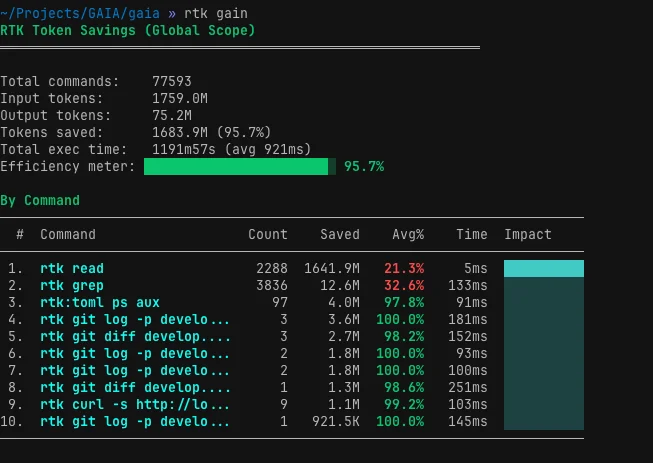
on the vibe-coding side of things: i use the github cli to manage our issues, create prs, and resolve comments. rtk i use to understand my token savings, screenshot below.
conductor is what i use for multi-agent orchestration and getting through a lot of tasks at once. i really love the dx. they make it genuinely easy to manage your whole workflow with github: creating prs, dealing with failing ci, running multiple tasks in parallel on the same branch, and running multiple worktrees for completely different branches.
 conductor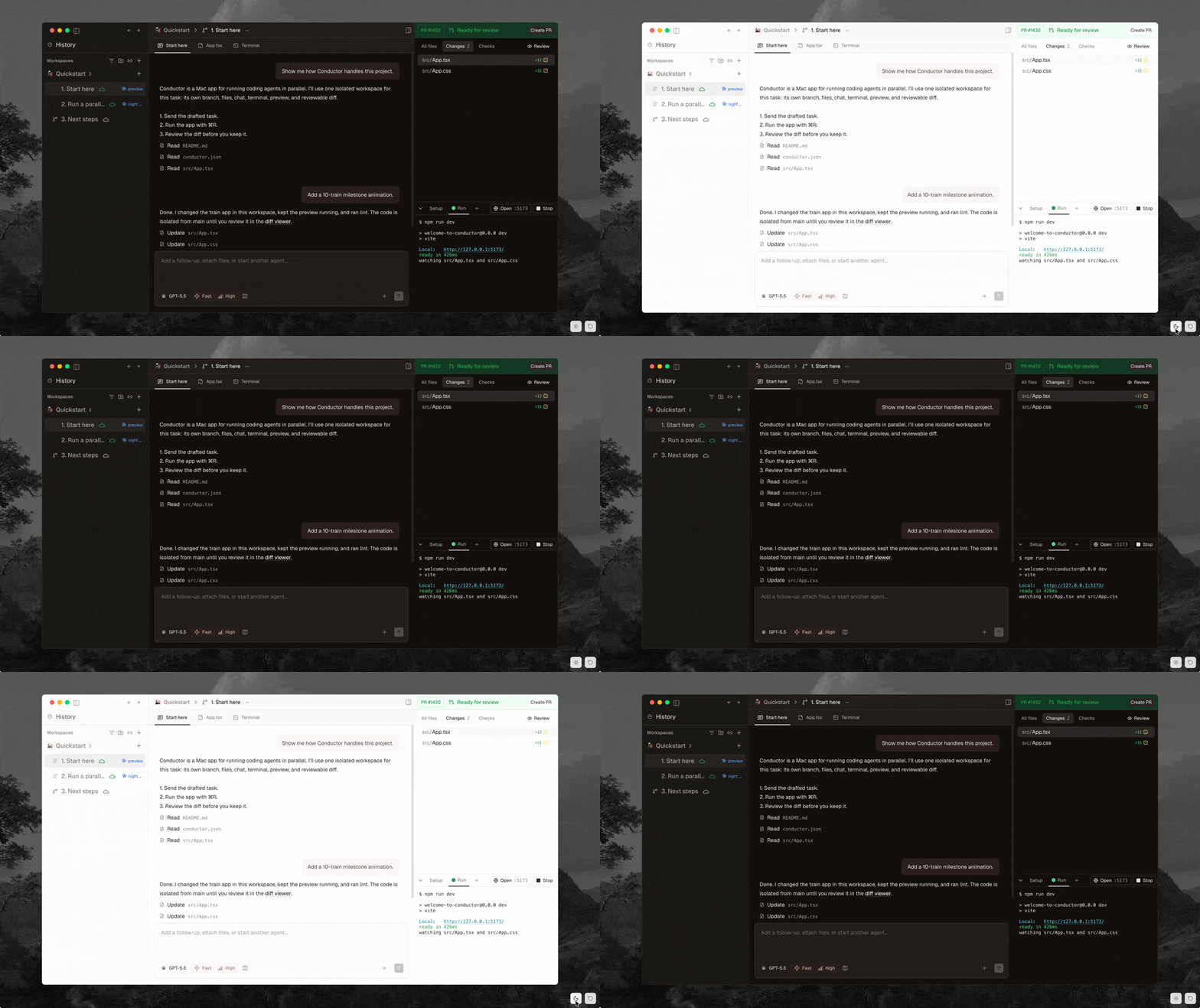
terminal, browser, and little utilities
cmux is my terminal now, and i love the window management: dragging panes, new tabs, new windows in the sidebar, the built-in browser, and the notifications from agent harnesses. this replaced ghostty for me; it’s exactly what i’d been wanting.
 cmux
cmux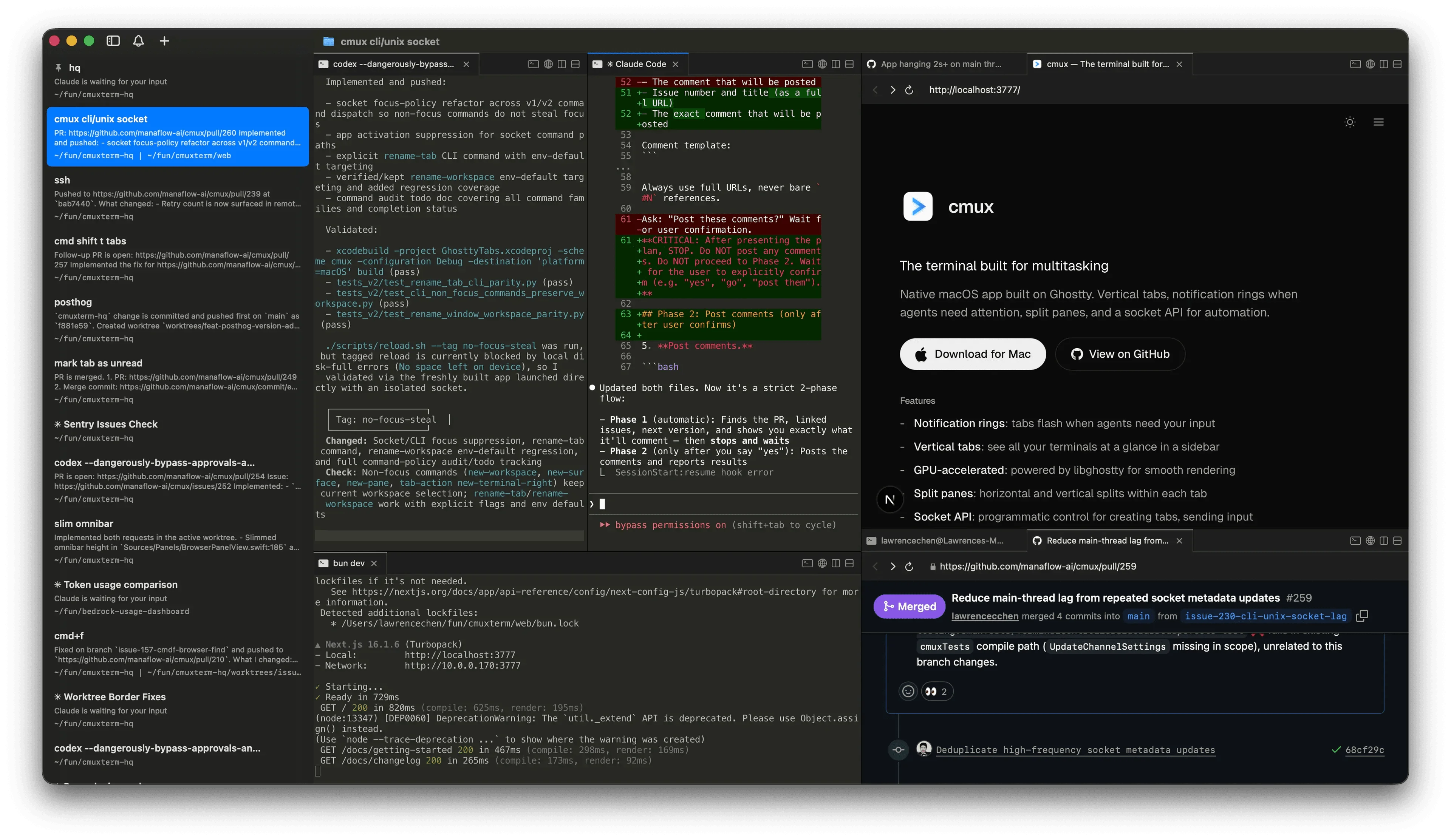
arc is the browser that genuinely has a soft spot in my heart. the multiple spaces and profiles, the vertical tabs sidebar with pinned favourites, the collapsible sidebar that hides my bookmarks so they’re not constantly stealing my focus. i can hit tidy and have it automatically group all my tabs based on whatever work i’m doing. it auto-renames my downloads, auto-renames bookmarks, lets me customise themes, and gives each space its own theme. and it’s based on chromium on top of all that. i tried zen but it just didn’t feel as polished or beautiful as arc, it had that open-source linux touch to it, you know how linux software is never quite perfect and always a little finicky, that’s exactly how zen felt to me, unfortunately. plus the chromium devtools are just mwah.
 arc
arcorbstack for spinning up vms easily and as a docker replacement. tailscale for easy sshing between my vm, my home server, and my mac. wakatime for time tracking. and swish for window management, beautifully swiping windows around, which works really well with a large curved monitor.
 orbstack
 tailscale
 wakatime
 swish
swishthe desk hardware
on to the hardware. the machine doing all the work is my macbook pro, m4 pro, and it handles everything i throw at it without breaking a sweat.
| spec | detail |
|---|---|
| model | macbook pro 14” |
| chip | apple m4 pro |
| cpu | 12 cores (8 performance + 4 efficiency) |
| gpu | 16 cores |
| memory | 24 gb unified |
| storage | 512 gb ssd |
| display | 14.2” liquid retina xdr, 3024 × 1964 |
my main display is an msi optix mag342cqr, a 34” curved ultrawide. it’s 3440 × 1440 uwqhd on a va panel, 144hz, with a 1500r curve, and it’s the thing the window management apps were basically made for. the curve plus the width is what makes splitting panes and snapping windows around feel so natural.
then there’s a second monitor, a dell p2314h, a 23” 1080p panel that i’ve stood up in portrait and put on the floor on a small laptop table next to the desk. it runs as a dedicated secondary screen for obsidian to track my tasks and notes, plus spotify sitting there the whole time. we actually have two more of the exact same monitor too. vinit uses one of them, and the other is hooked up to our home server, showing us posthog metrics and basically there for whenever we need a gui on the home server instead of sshing in.
 obsidian
 spotify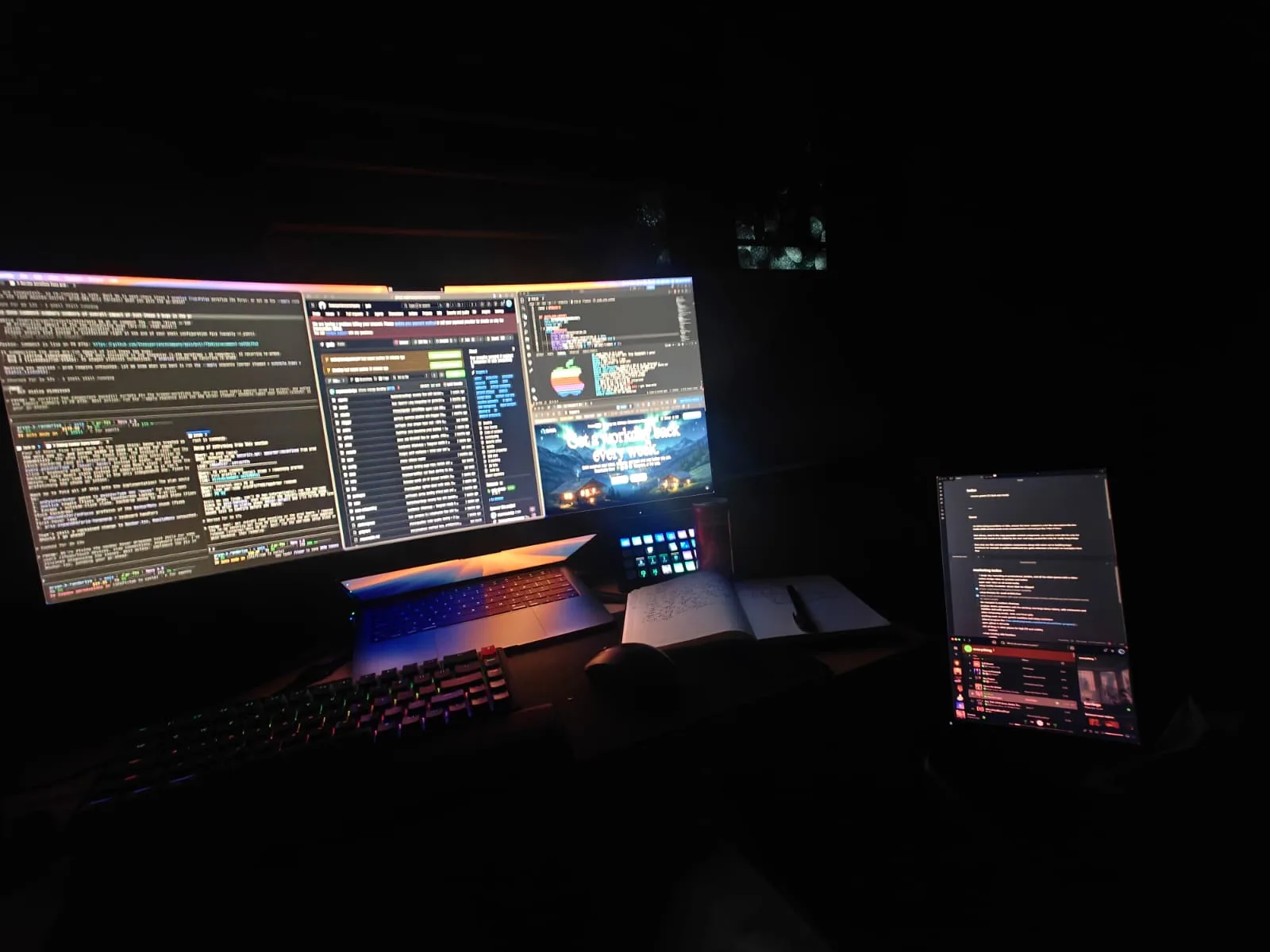
the home server
that home server is my dad’s old machine, the one he used to use for trading and didn’t need anymore, now repurposed into our little home lab. it runs a bunch of stuff self-hosted over tailscale, analytics, langfuse for llm tracing, a jellyfin media server, and a handful of other things. honestly it’s just really fun to tinker around with.
 analytics
 jellyfin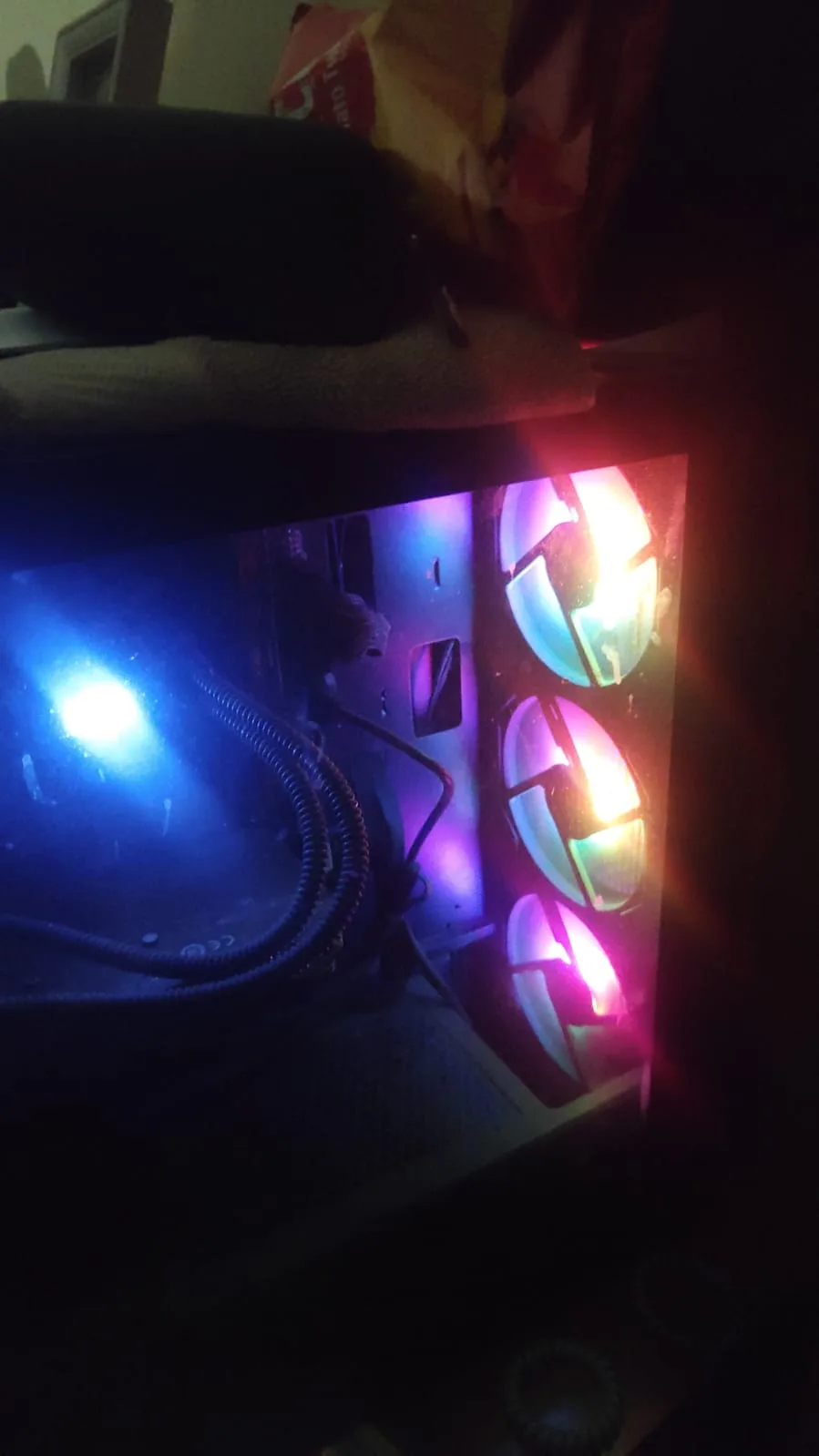
it’s still a seriously capable machine, more than enough for everything we throw at it.
| spec | detail |
|---|---|
| os | ubuntu 24.04 lts |
| cpu | intel core i7-10700k (8 cores / 16 threads, up to 5.1ghz) |
| memory | 46 gb |
| gpu | nvidia geforce gtx 1050 ti |
| storage | 457 gb ssd + 1 tb hdd |
input and audio
for input, i type on a keychron k6, and point with a random ass dell mouse because i can’t afford a logitech mx master yet. there’s an elgato stream deck (no idea which version). for audio it’s the sony wh-ch720n, and a pair of apple wired earphones for when i want something simpler.
 keychron k6
 elgato stream deck
what’s still missing
there’s a bunch i still feel is missing too. i’m a big apple fanboy, so giving fully into the ecosystem and tying everything together with the macbook, an iphone and an apple watch would be amazing for the seamlessness. the mx master is on the wishlist, as mentioned. i’d also swap out my keychron keycaps for something more black with blue accents instead of the default grey and orange theme. i’m going to grab a pair of sony wh-1000xm5 headphones too, because the noise cancellation on my current ones is slowly fading and the xm4/xm5/xm6 line is just insanely good. and a massive fucking whiteboard on the wall for brainstorming is a must for my next setup. not in this place though, the elderly woman who owns the flat and lives downstairs is impossibly uptight, she’d lose her mind if i so much as stuck a whiteboard sticker on the wall.