Scratch
 TypeScript
 ReactRustTauriTailwind CSS
Minimal markdown scratchpad for macOS — Notion-style editing, GitHub PR linking with @-mentions, and automatic git sync to your own repo.
Scratch sits between heavy tools like Obsidian or Notion and macOS Stickies (no markdown, no sync): a small, flat, Apple-clean desktop window for thoughts, todos, and PR notes. Notes are plain .md files with YAML frontmatter in a local git vault (~/Scratch by default, optionally in iCloud Drive), so they stay grep-able and portable even without the app. Every few minutes the vault is committed, fast-forwarded, and pushed to your own private scratch-notes repo.
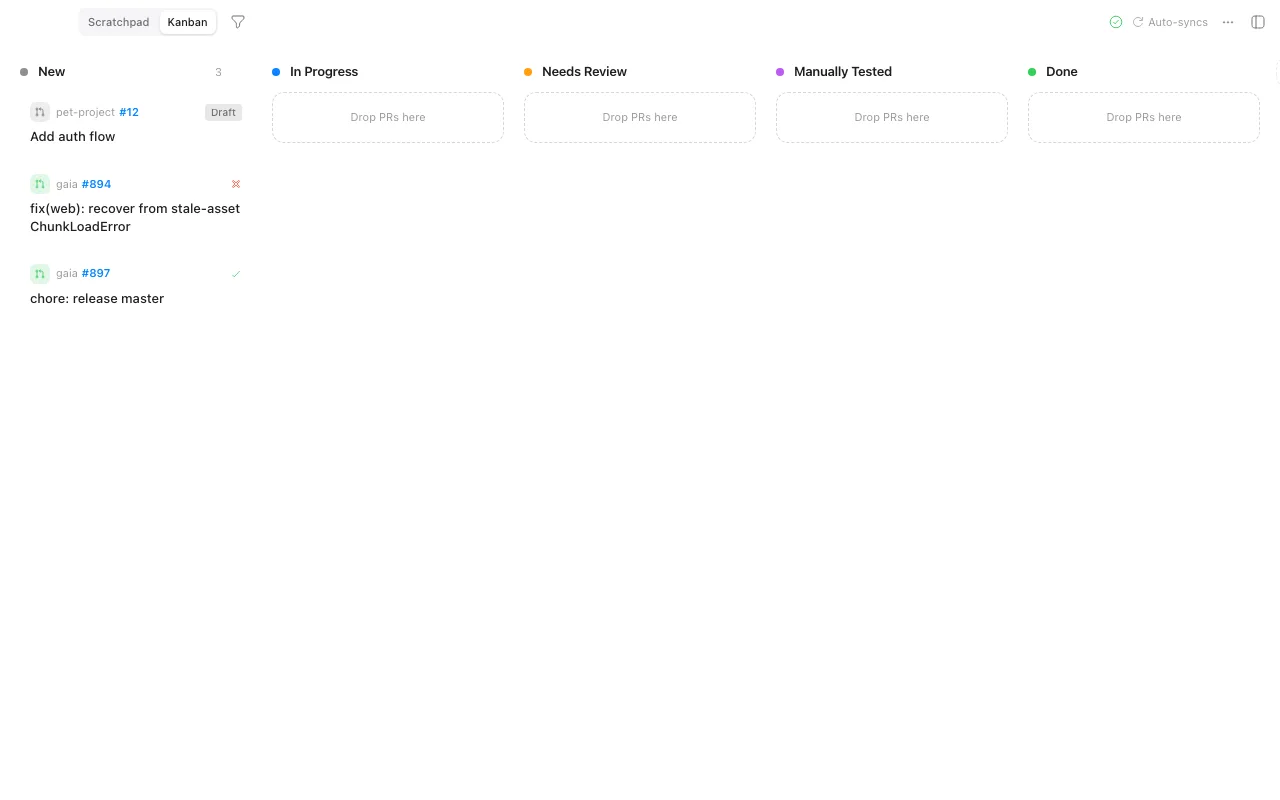
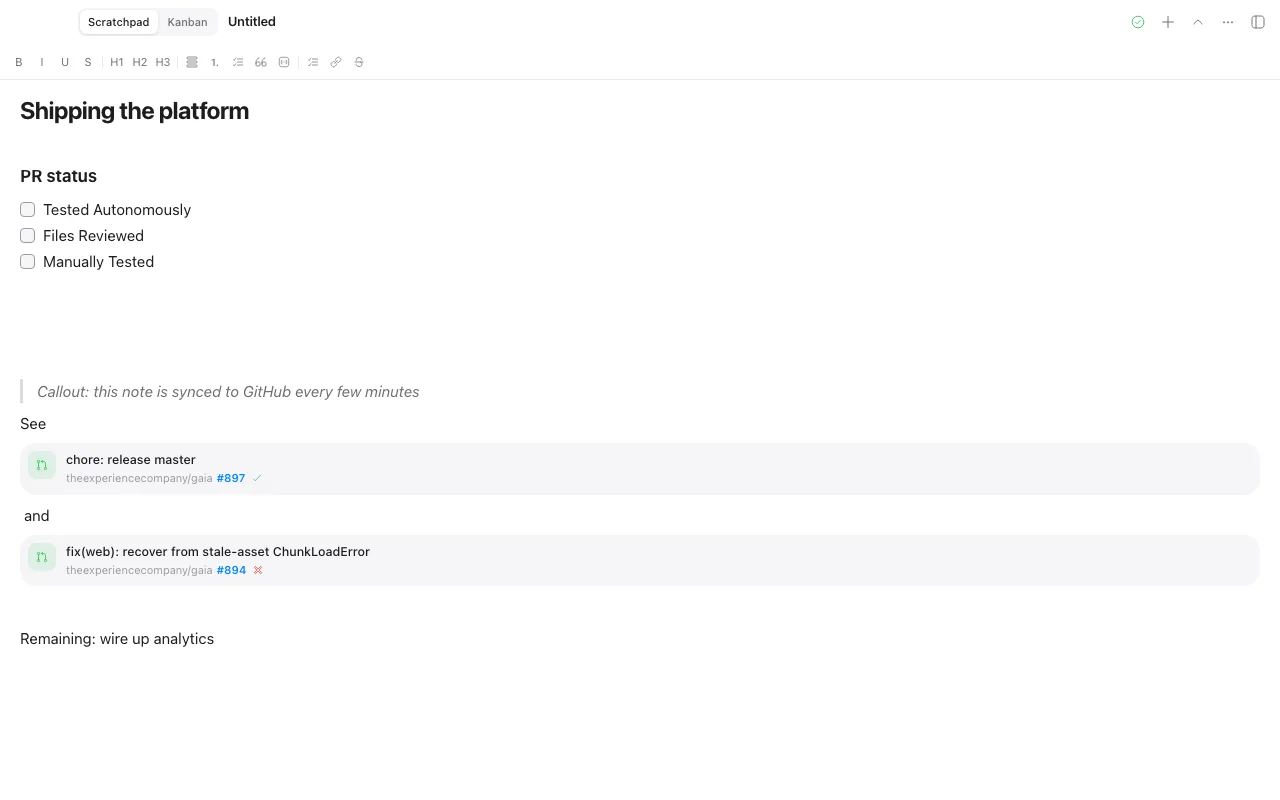
Its differentiator is GitHub PR integration: @-mention search over open PRs across your repos and orgs, sorted by readiness (passing CI first, drafts last), with linked PRs showing reference cards. One click inserts a PR QA checklist (tested autonomously, files reviewed, manually tested), and a kanban triage board with custom columns, drag and drop, and repo filtering turns review queues into something glanceable.
The editor is Notion-like block markdown (/ commands, headings, callouts, task lists, PR cards) built on TipTap, with React 19, Tailwind v4, and Zustand up front and a Tauri v2 + Rust backend (git2 for sync, reqwest for the GitHub API). Light and dark mode, SF Pro, macOS segmented tabs — and cross-platform installers (macOS dmg, Linux AppImage/deb, Windows msi/nsis) built by CI on every git tag, with Playwright end-to-end tests over mocked Tauri IPC and cargo test on the backend.